

The Basics
ProdE has a handful of pieces that show up across every guide. This page defines them in plain terms so you know what each one is and when you would reach for it. You do not need to read it end to end. Skim it, then come back when a term is unfamiliar.
Everything here is powered by the Knowledge Layer: the AI-enriched understanding ProdE builds from your connected repositories. You never interact with it directly. It quietly powers the surfaces below.
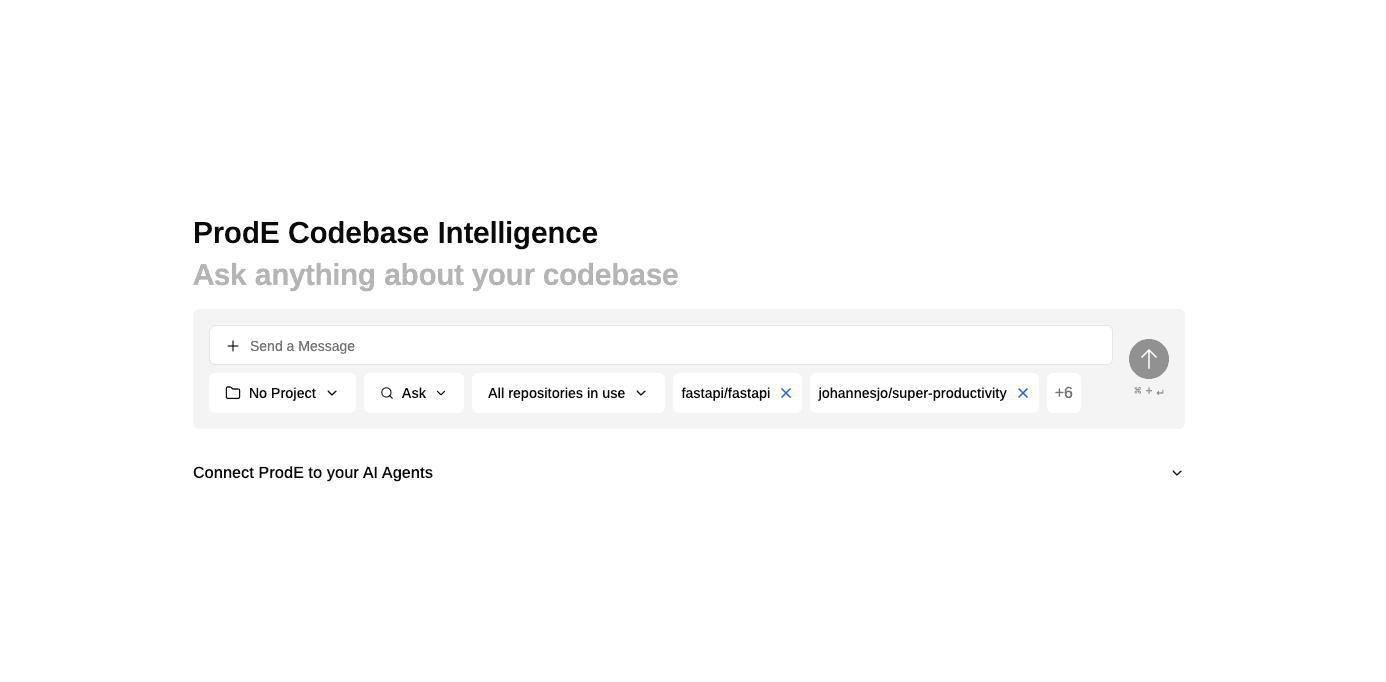
ProdE Chat
Ask questions about your code in plain English and get answers grounded in your actual repositories, not generic documentation. You do not need to know which repository holds the answer; ProdE searches across all of them and can follow a feature across service boundaries.
Reach for it when the honest answer to a question is "it depends on what the code does," whether you are onboarding, debugging, scoping a change, or confirming how something behaves.
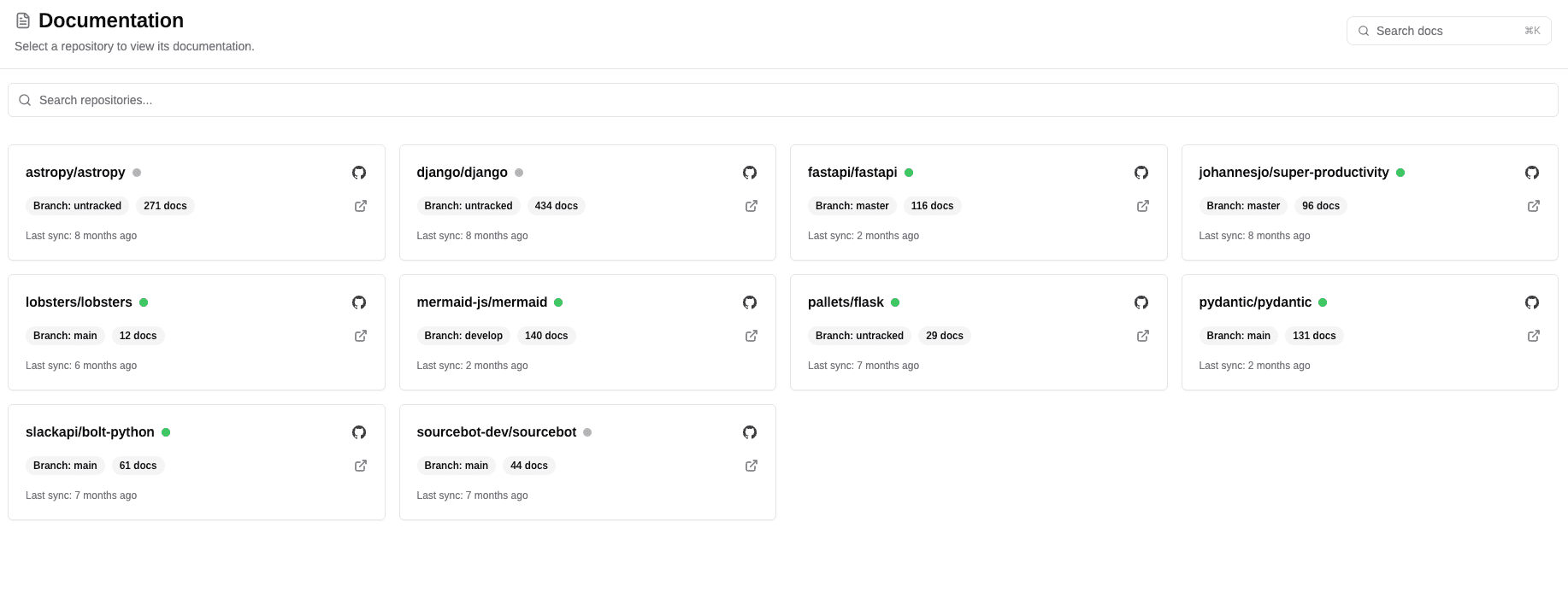
Repo Wikis
A navigable, always current wiki for each connected repository, generated from the source code and kept in sync as the code changes. It starts with a repository overview, then groups related functionality into Feature Groups and Feature Pages that document what each part does and the exact code symbols behind it. You read Repo Wikis on the Documentation page in ProdE.
Reach for it when you want to understand the shape of a repository before asking specific questions. Reading orients you; ProdE Chat answers the precise follow-ups.
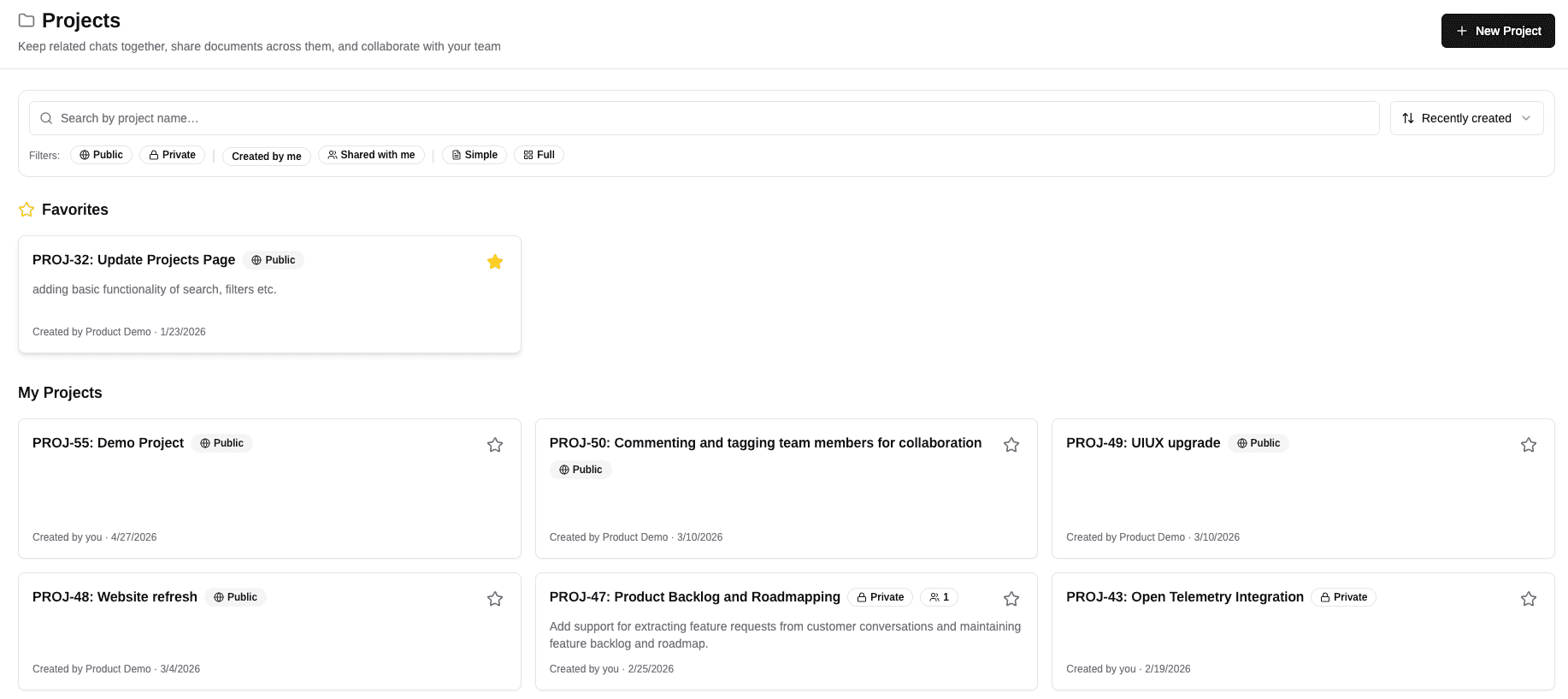
Projects
A shared workspace where your team plans, specs, designs, builds, and tracks a single initiative. PMs, designers, engineers, and QA all work in the same place. Full projects move through structured planning stages (PRD, requirements, blocker analysis, design, engineering plan, tracking) with AI assistance at each one. Simple projects are lightweight containers for documents and basic tasks.
Reach for it when an idea turns into real work that needs to be specified, planned, and handed off to engineering or a coding agent.
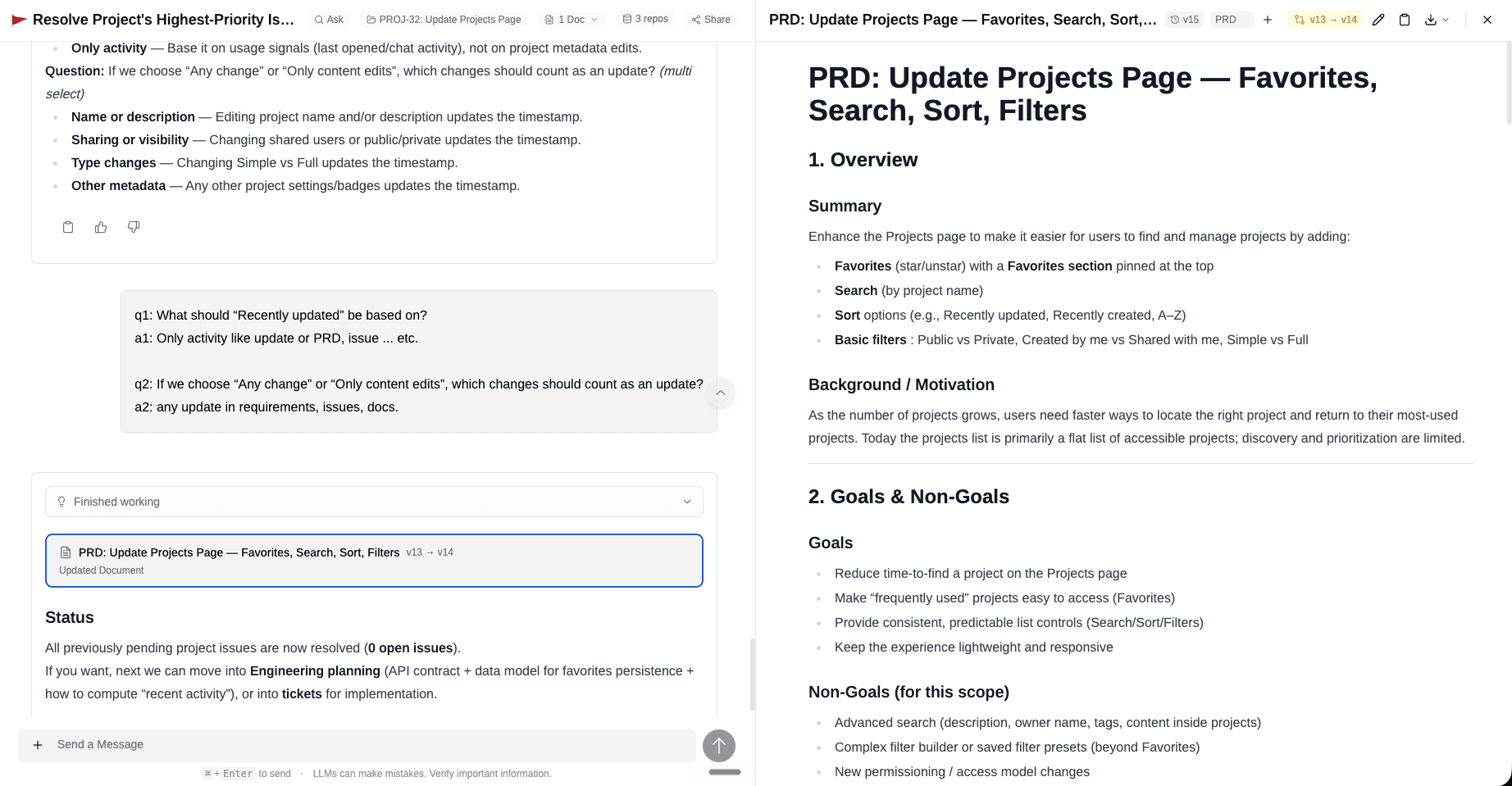
Documents
The written artefacts ProdE produces and stores: PRDs, technical specs, research summaries, engineering plans, and more. You can create one straight from a chat by describing what you need, then edit it manually, refine it with AI, and track changes through versioning. Documents can be tagged (idea, PRD, research, engineering) and exported as PDF or DOCX for sharing outside ProdE.
Reach for it when an answer or a plan needs to become something durable that the rest of the team can read, edit, and act on.
MCP Server
The bridge that brings ProdE into your coding agent, so you build without switching tools. When you set it up, you pick one of two modes:
- Knowledge + Projects (the default) gives your agent both your codebase understanding (codebase Q&A, cross-repo understanding, code and symbol search, documentation lookup) and read/write access to your project: it can read, create, and edit requirements and acceptance criteria, workstreams, documents, plan artefacts (flows, contracts, tasks), and decisions, and update pipeline status.
- Knowledge only gives your agent codebase understanding alone. Use this if you do not work in ProdE Projects.
Most people should use the default.
Reach for it when you are writing code and want your agent to know both what to build and how your codebase actually works.
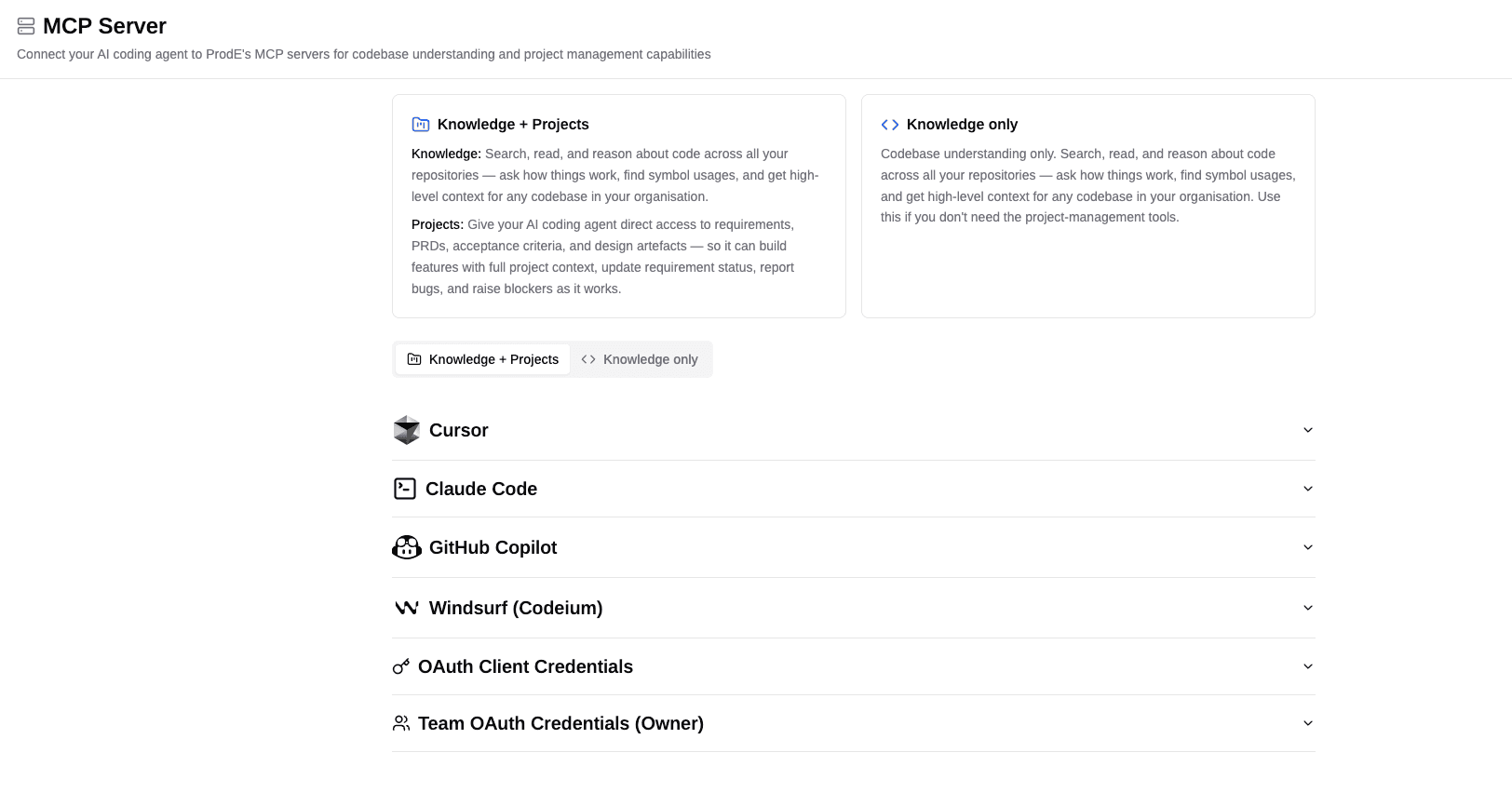
Learn more about the MCP server →
With these in hand, the rest of the guides put them to work on real goals. Start with Onboarding a Codebase, or jump to whichever scenario matches what you are doing.
Guides
Practical, scenario-based guides for getting the most out of ProdE once it is set up. Each guide walks through a real workflow end to end, combining ProdE Chat, Repo Wikis, Projects, and the MCP server to accomplish a goal.
Onboarding a Codebase
How to get productive on an unfamiliar repository or service using ProdE, without reading every file or interrupting a teammate. Combine Repo Wikis for structure with ProdE Chat for targeted questions.