

Connect Your Repositories
Connecting your Git provider gives ProdE access to your repositories so it can build the knowledge layer that powers everything else: question answering, project planning, MCP integrations, and more.
ProdE only requests read-only access. It never writes to your repositories.
Step 1: Connect a Git provider
Pick your provider and follow the detail page for setup steps:
You can connect multiple providers to a single ProdE workspace and view repositories from all of them in one place.
For Git providers not listed here, email nilesh@prode.ai with the integration you need.
Step 2: Select the repositories you want to index
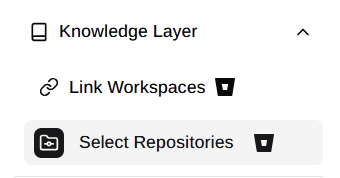
Once a provider is connected, open the Select Repositories section in the sidebar. You will see all repositories available from your connected workspaces or organizations.
Select the repositories you want indexed and click Create Knowledge Layer. ProdE starts processing the selected repositories, and their status changes to Syncing.
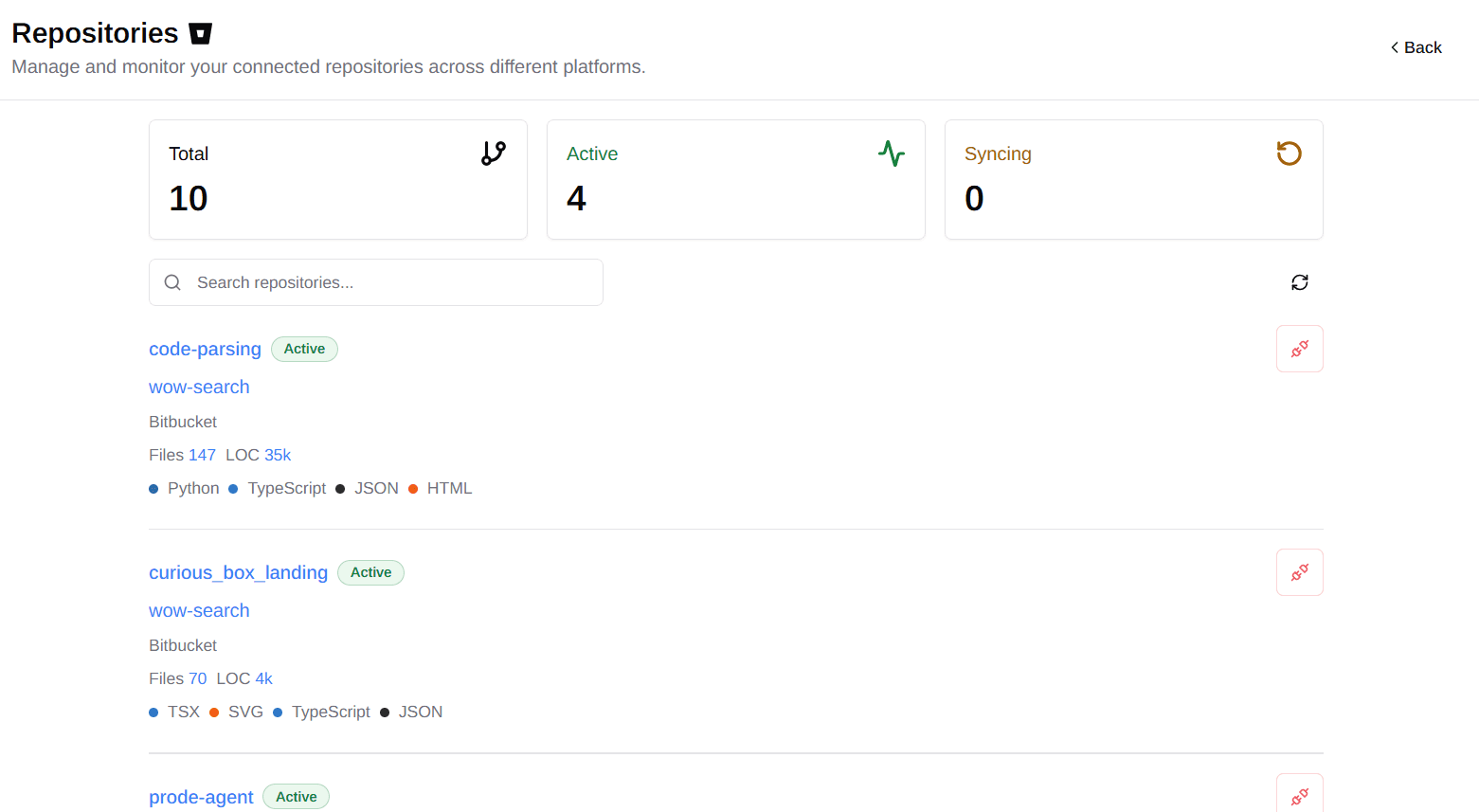
ProdE only indexes the repositories you select. You can add or remove repositories at any time.
For details on how indexing works and how long it typically takes, see Setting Up ProdE.
Repository statuses
Each repository in your workspace has one of three statuses:
- Active: the repository has been indexed. AI answers will include content and context from it.
- Inactive: the repository is not selected for the knowledge layer. Its contents are not available to ProdE.
- Syncing: the repository is being processed. It moves to Active automatically when complete.
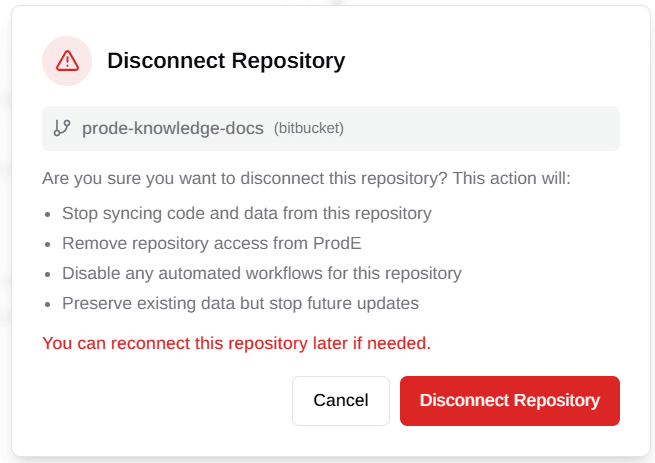
Disconnecting a repository
When you disconnect a repository:
- Its content is removed from the knowledge layer.
- Its data is preserved in case you reconnect later.
- Syncing stops and no further updates are pulled.
Supported languages
ProdE currently indexes:
- Python (
.py,.pyi), including all Python frameworks - TypeScript (
.ts,.tsx,.d.ts), including React and other front-end frameworks - JavaScript (
.js,.jsx), including all JavaScript frameworks - C# (
.cs,.csx), including .NET projects and frameworks - Ruby (
.rb,.rake,.gemspec), including Rails and ERB templates (.erb,.html.erb) - Go (
.go), including Go modules and projects - Java (
.java), including Maven and Gradle projects - Swift (
.swift), including Swift packages and Xcode projects - Vue (
.vue) Single File Components within TypeScript or JavaScript projects
We are continuously adding language support. To request a language, email nilesh@prode.ai.
Security and privacy at a glance
- ProdE requests read-only access to your repositories.
- ProdE never trains AI models on your repository data.
- Knowledge layer creation respects your repository permissions.
- All data can be deleted on disconnection.
See Security and Privacy for the full details.