

Why Use Projects
The plan looks done, until development starts
Every PM knows the pattern. The spec gets signed off, work begins, and then the surprises arrive:
- An assumption in the spec turns out to be untrue
- An edge case nobody thought about blocks a developer
- A dependency or migration step surfaces mid-sprint
- Two requirements quietly contradict each other
None of these are coding problems. They're gaps in the plan that a static doc can't catch.
What Projects does
Projects is where you plan a feature end to end, simple or complex. It reads your existing repos, so it takes you from a rough idea to a development-ready spec:
- Writes your PRD with you
- Generates the product spec: workstreams and requirements with acceptance criteria
- Identifies edge cases, impacts, and blockers before development starts
- Syncs everything to Jira and Confluence
Write the PRD
- Acts as a thinking partner, not a blank template
- Asks the questions that matter (users, success, scope) and drafts the PRD as you go
- Grounds it in your existing repos, so it's realistic from the first draft
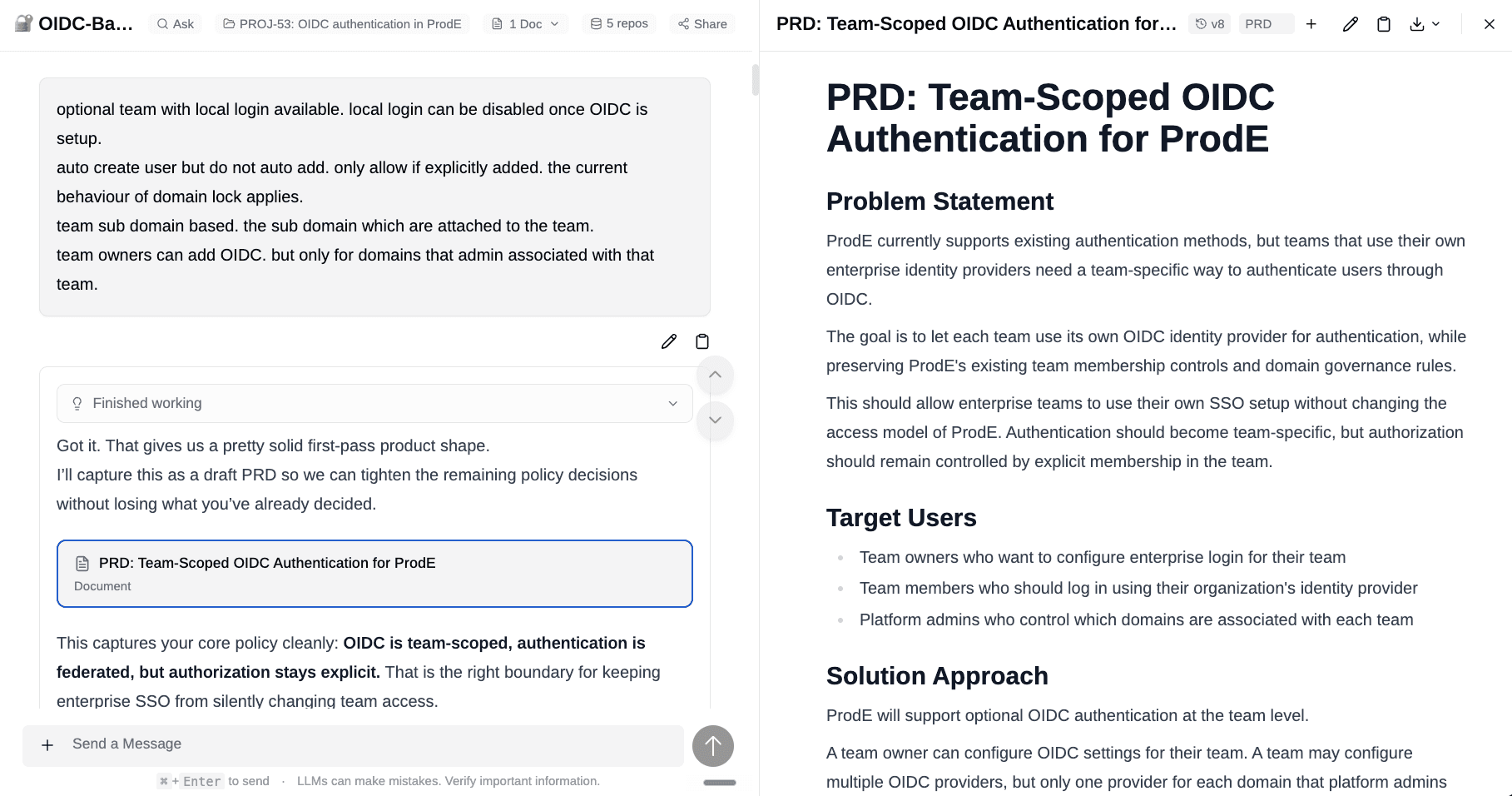
See From Idea to Spec.
Break big features into manageable parts
- Reads your PRD and proposes a split into Workstreams, the logical areas of work that sit between the project and individual requirements
- Generates detailed Requirements under each, with acceptance criteria
- You review, rename, and merge, ending with pieces the team can pick up independently
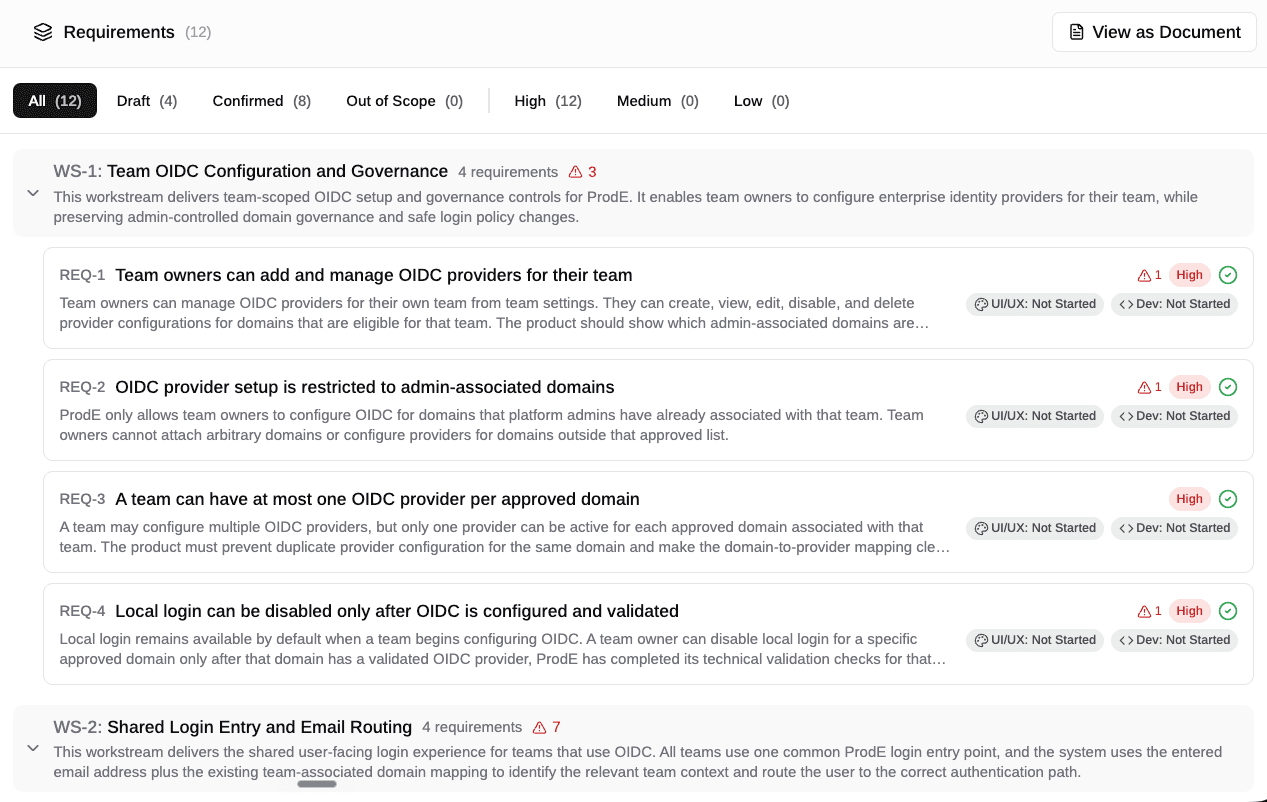
See Workstreams & Requirements.
Catch the edge cases before dev, not during
A Blocker Analysis runs across your PRD and requirements and flags problems while they're cheap to fix:
| What it catches | Example |
|---|---|
| Wrong assumptions | A spec relying on behavior the system doesn't support |
| Contradictions | Two requirements that can't both be true |
| Missing context | The "what happens if..." cases nobody specced |
| Gaps | Whole flows (deletion, errors, migration) with no requirement |
| Unclear requirements | Anything ambiguous enough to be built two different ways |
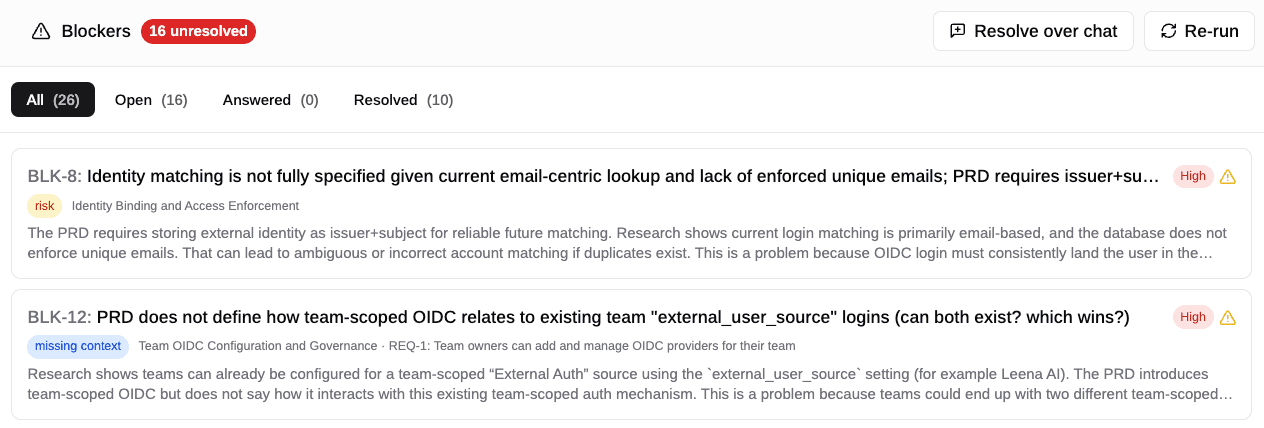
See Blockers & Issues.
Surface the blockers that hit dev, QA, and deployment
- Anticipates dependencies that aren't ready, data model changes, and migration steps
- Flags QA scenarios the acceptance criteria miss
- Tags each blocker High / Medium / Low so you know what to settle now
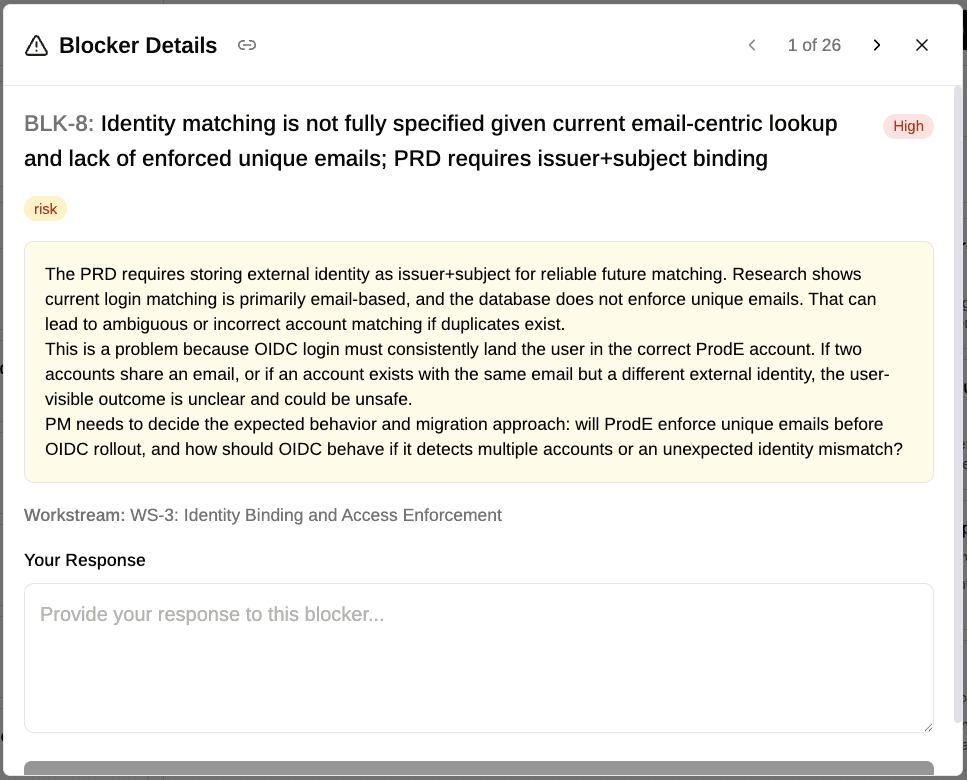
Stay in sync with Jira and Confluence
- Jira: the project maps to an epic, with workstreams and requirements flowing through as the issues beneath it
- Confluence: PRDs and specs publish to your knowledge base
- No manual copy-paste, and the plan stays the single source of truth
Hand engineering a spec they can build
The plan doesn't stop at requirements. For engineering managers and tech leads, ProdE turns the confirmed spec into an implementation plan grounded in your actual code:
- Buildable as written. The plan is checked against what the codebase can actually do, so engineers don't lose a sprint debating what's possible or filling in the details the spec missed.
- Planned across services, not one repo. ProdE reads every repo in your org, so a plan covers the API, the service, and the migration together, not just the file in front of you.
- Handed straight to the coding agent. Connect ProdE to Cursor, Claude Code, VS Code, or Windsurf and the agent already has the PRD, requirements, acceptance criteria, and engineering plan. No copy-paste, no re-explaining context.
The payoff
You start development with the edge cases answered and the blockers resolved. Fewer mid-sprint surprises, and estimates that hold.
Next: Create one and see how the stages fit together in Your First Project.
Projects
Projects are your team's collaborative workspace for the entire software delivery lifecycle. PMs, designers, engineers, and QA all work inside the same project, from initial idea through to…
Your First Project
This guide walks you through creating a project in ProdE and taking it from an idea to a shipped feature. By the end, you'll understand how the pieces fit together and which parts matter for your…