Bitbucket Integration Setup
Overview
Bitbucket integration allows ProdE to access your Bitbucket repositories and create intelligent knowledge layers for your selected codebases.
Prerequisites
- Bitbucket Account: Active Bitbucket account
- Workspace Access: For workspace repositories, you must have appropriate permissions from the workspace admin
Setup Process
Step 1: Initiate Bitbucket Connection
- Log into your ProdE account
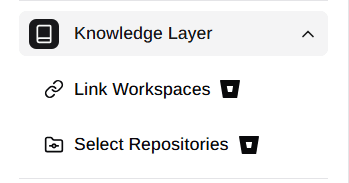
- Navigate to Knowledge Layer section in the sidebar
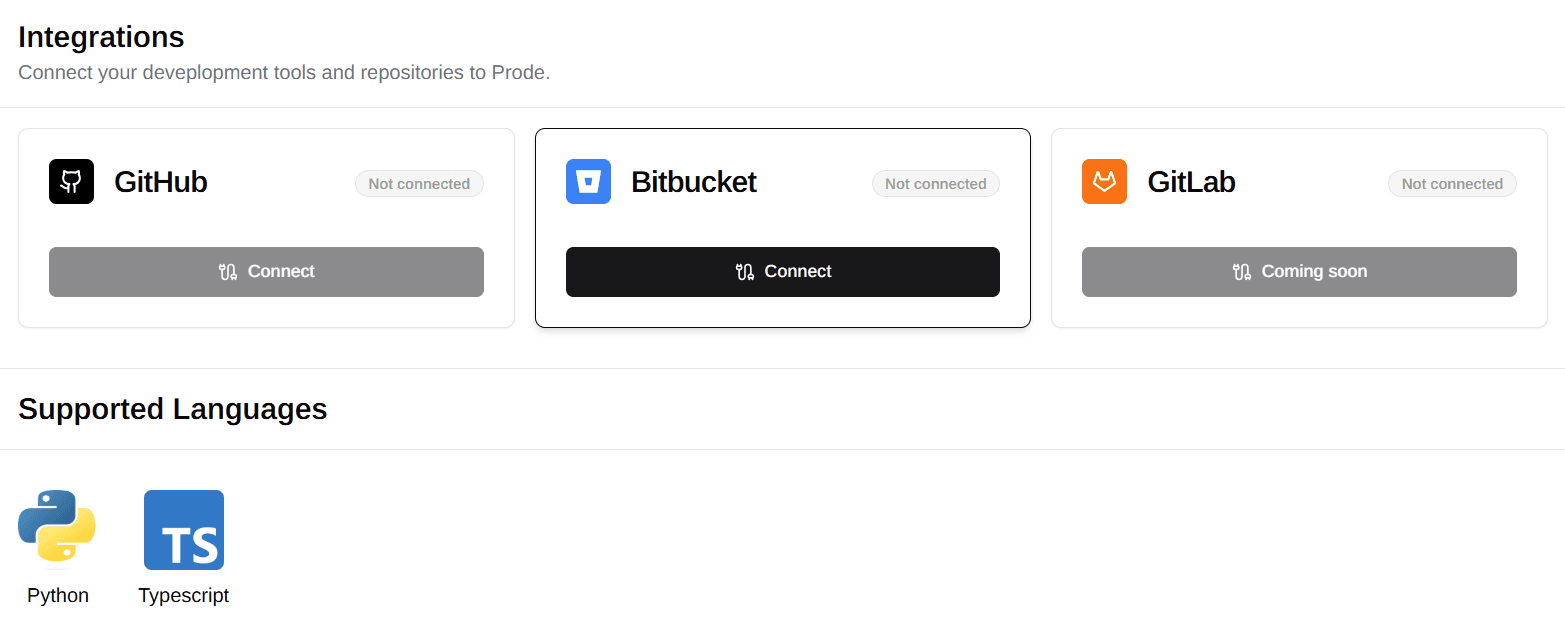
- Click on Bitbucket provider option
Step 2: Bitbucket OAuth Authorization
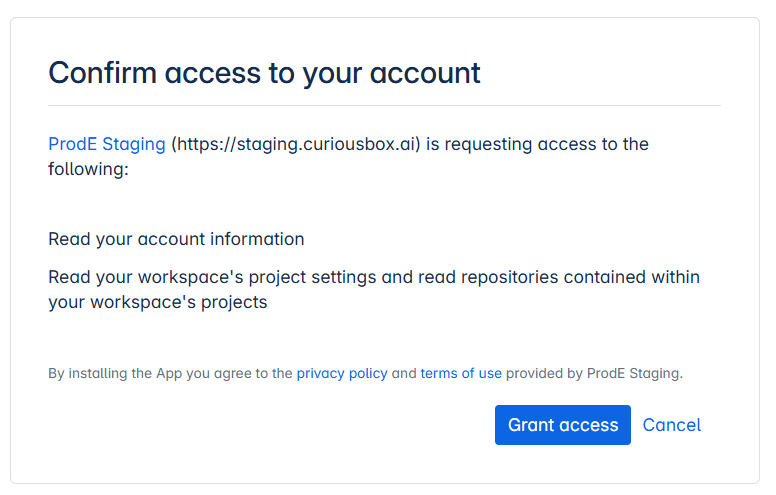
- Complete OAuth Flow: You'll be redirected to Bitbucket's authorization page
- Grant Access: Click "Grant access" to provide read-only access to your repositories
- Workspace Access: All workspaces you have access to will be available automatically
Step 3: Link Bitbucket Workspaces
Automatic Selection
- If you only have one workspace, all your repositories will be loaded directly.
Multiple Workspaces
-
You can manually select which workspaces to connect or load repositories from
- Navigate to Link Workspace section in sidebar
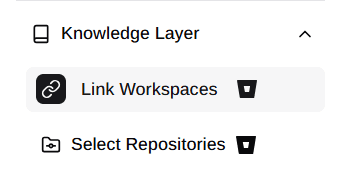
- Link Workspaces: See all accessible Bitbucket workspaces and Choose one or multiple workspaces to connect
-
Active label: Workspace connection with repository access established
-
Inactive label: Workspace not connected or connection terminated
-
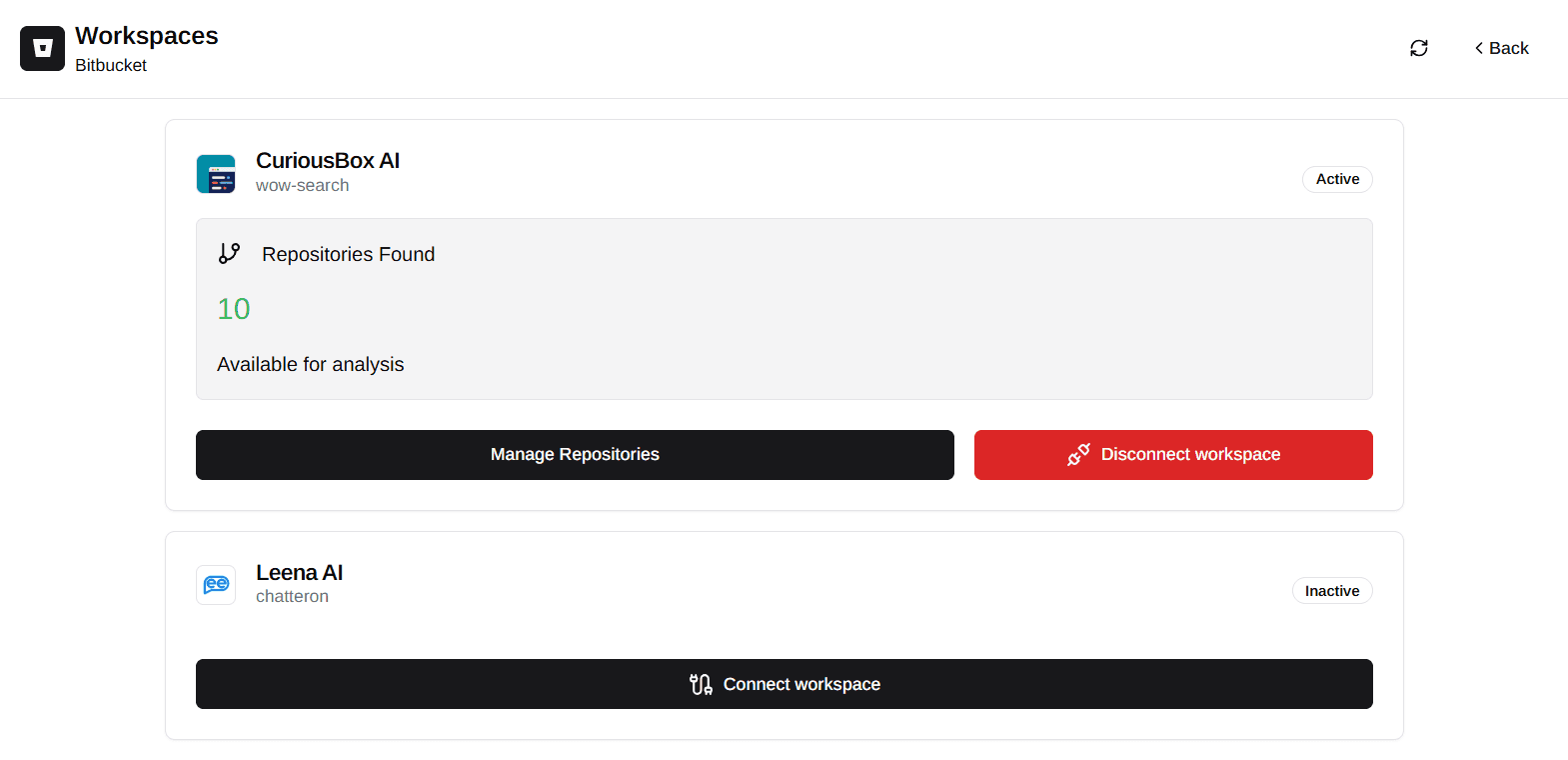
- Refresh Workspaces: Click refresh to synchronize workspaces
Step 4: Repository Management
After completing the OAuth authorization and workspace selection:
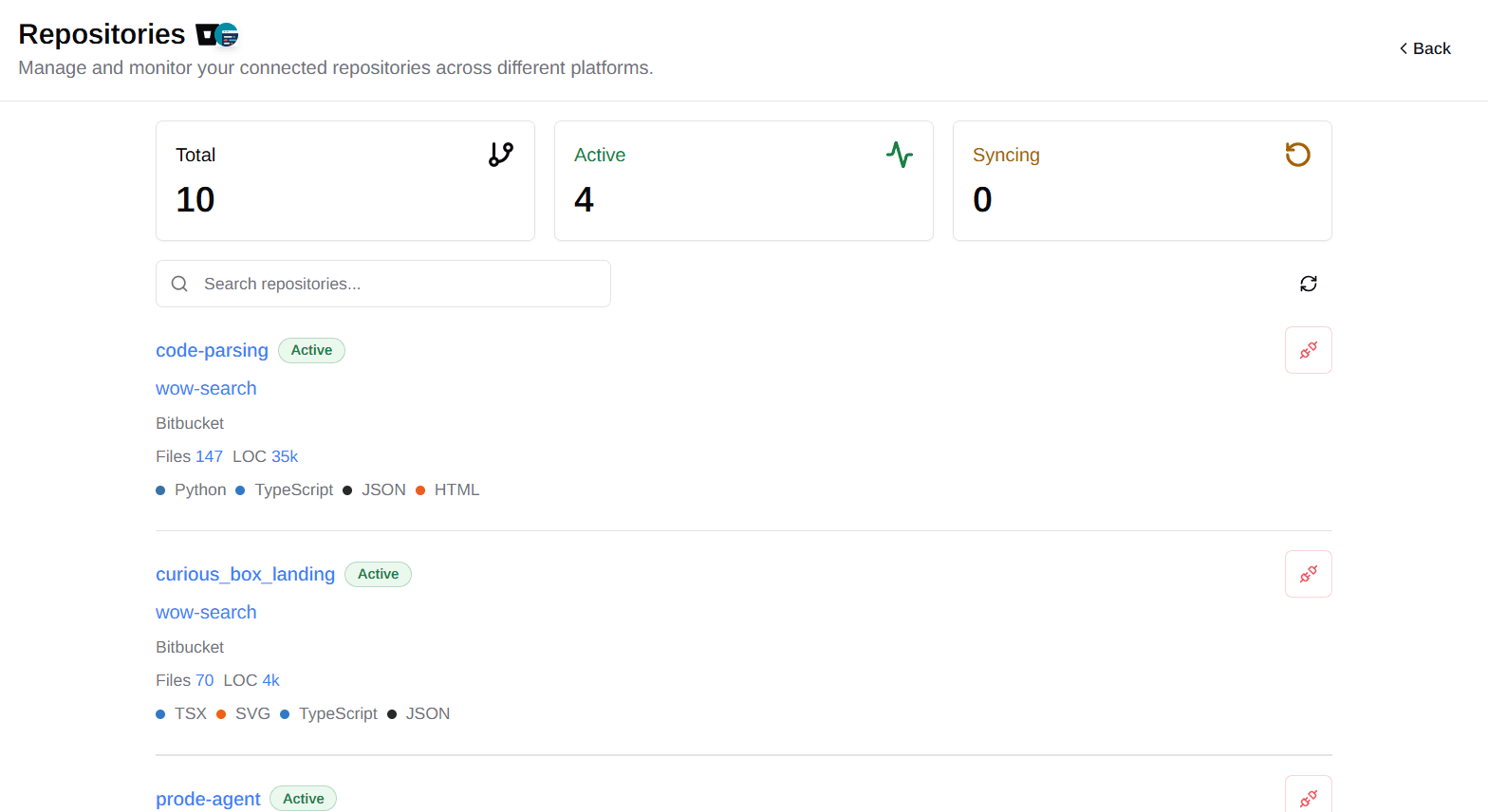
- Automatic Repository Loading: All repositories from your selected Bitbucket workspaces will automatically become available in your ProdE account
- Next Steps: Return to Connect Your Repositories to select repositories and create your Knowledge Layer.
Security Features
Read-Only Access
- No Write Permissions: ProdE only requests read-only access to your repositories
- Secure Authentication: Token-based authentication through Bitbucket OAuth
- Permission Scoping: Limited to repository content reading only
Data Privacy
- Bitbucket Permissions: Access is limited by your Bitbucket permissions
- Secure Processing: Repository data is processed securely
- Deletion Option: Data can be deleted upon disconnection
Disconnection and Data Management
Disconnecting Bitbucket
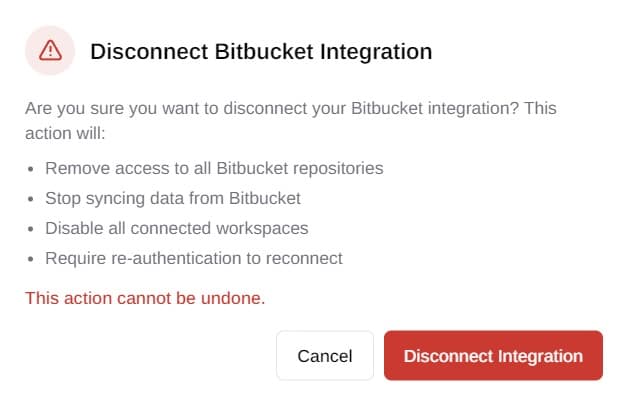
Disconnecting Bitbucket will permanently delete all associated repository data and knowledge layers.
When you disconnect Bitbucket:
- All Bitbucket repository data is permanently deleted
- Knowledge layers are removed
- Reconnection requires reauthorization to Bitbucket and/or workspaces
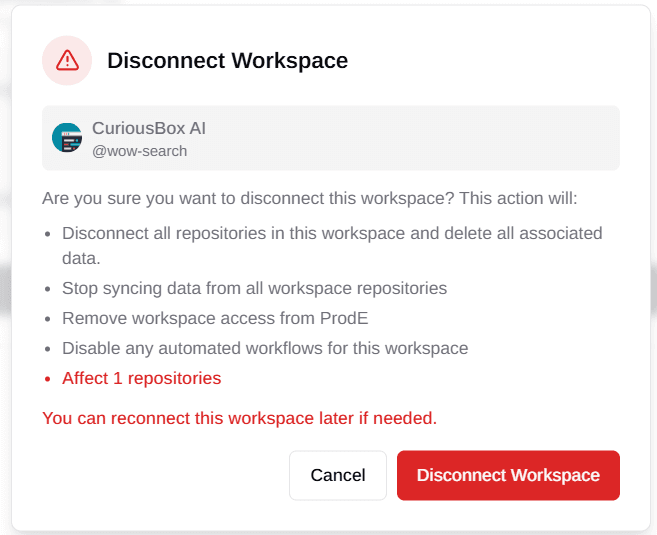
Disconnecting Workspaces
Disconnecting a workspace permanently deletes all repository data and knowledge layers from that workspace.
When you disconnect a workspace:
- All repository data from the workspace is permanently deleted
- Knowledge layers for that workspace are completely removed
- No access to workspace repository content or insights
- Other connected workspaces remain unaffected